Why Smart Security Matters Right Now
As technology continues advancing, the modern home is evolving beyond traditional locks and alarms. Smart devices are no longer just nice to have gadgets they’re becoming essential solutions for real security concerns.
The Shift from Traditional to Intelligent Systems
Homeowners are moving away from outdated alarm systems and keyed locks in favor of integrated smart devices that offer customization, control, and peace of mind. Unlike conventional systems that only react once a breach occurs, intelligent security tools proactively monitor, alert, and even prevent threats in real time.
Key reasons driving the shift include:
Traditional systems offer limited remote access and delayed alerts
Smart systems offer real time notifications, control via mobile apps, and automation
Integration with other smart home devices creates a unified, responsive security network
How Smart Devices Are Closing Security Gaps
Today’s smart tech fills in longstanding weaknesses in home protection. From smarter motion tracking to precise facial recognition, homes are becoming more aware and resilient with or without an occupant present.
Smart devices excel at:
Detecting unfamiliar motion and sound through AI enhanced sensors
Recording events using high definition video stored on the cloud
Notifying homeowners instantly via mobile even when you’re miles away
Deterring threats with spotlights, alarms, and two way communication
Peace of Mind Powered by Control and Convenience
Peace of mind isn’t just about safety anymore it’s about control. Smart security allows users to manage their home environment on their terms, whether through scheduled routines, mobile controls, or automation.
Modern peace of mind looks like:
Locking or unlocking your door from anywhere
Letting in guests while you’re away
Monitoring deliveries without leaving your desk
Knowing your system learns and adapts over time
When convenience meets technology driven control, home security evolves into something far more powerful and reliable than it’s ever been.
Best Smart Cameras and Doorbells
Smart cameras and video doorbells have become the front line of modern home security. With improved motion detection, cloud storage, and smarter features, they no longer just capture footage they actively help prevent incidents.
Core Features That Matter
When choosing a smart camera or doorbell, prioritize these essential capabilities:
Motion detection: Look for adjustable zones and AI powered tracking to reduce false alerts.
Cloud backed video feeds: Securely records and stores footage remotely, ensuring access even if the hardware is tampered with.
Alerts and automation: Timely push notifications and automations triggered by motion.
Face Recognition and Two Way Audio
These advanced features are increasingly common but are they worth it?
Face recognition: Offers personalized alerts (like family vs. stranger), but effectiveness varies by lighting and camera type.
Two way audio: A growing must have. Lets you speak to delivery drivers, guests, or even deter intruders in real time.
Bottom line: For families or frequent travelers, these features add real value. For casual monitoring, simpler models may suffice.
Wi Fi vs. Wired Setups
Choosing between Wi Fi and wired connections depends on where and how you plan to install your device:
Wi Fi cameras: Easier to set up and relocate, perfect for renters or flexible spaces.
Wired options: More reliable for continuous streaming and high definition recording, ideal for permanent installations.
Consider network bandwidth and power access when deciding.
Related Read
For a full breakdown of top rated devices and installation tips, see: Best Smart Security
Locks, Sensors, and Entry Devices That Work Hard
Smart entry devices are doing more than keeping doors closed they’re becoming an integral part of how we manage and feel secure in our homes. Here’s what to look for when choosing the right locks and sensors for your space:
What to Look for in a Smart Lock
Not all smart locks are created equal. Your ideal option balances functionality, durability, and ease of remote access.
Reliability: Look for locks with solid user ratings around long term performance and app stability.
Remote Control: Make sure the lock supports remote locking/unlocking via app or web access.
Auto Lock and Unlock: Bluetooth and geofencing features can automatically secure your door as you leave or arrive.
Tamper Alerts: Some models notify you immediately if someone tries to force or manipulate the lock.
Backup Options: A physical key or keypad can offer peace of mind if battery or connectivity fails.
Smart Sensors: Small Devices, Big Alerts
Entry sensors are your first line of defense for detecting unauthorized access. They’re simple, affordable, and highly effective when placed correctly.
Door and Window Sensors: Trigger instant alerts when entry points are opened unexpectedly.
Garage Door Monitors: Know if your garage is open and close it remotely from your phone.
Custom Zone Monitoring: Set routines for alerts based on time of day or occupancy status.
Battery Life & App Integration: Choose sensors that offer long battery life and seamless updates via mobile apps.
Integration with Voice Assistants and Smart Routines
The best part of a smart entry system is the ability to make it work with your broader smart home ecosystem.
Voice Control: Many devices now work with Alexa, Google Assistant, and Siri for hands free access.
Automation Routines: Set rules like turning on porch lights when the front door opens after dark.
System Syncing: Sync your locks and sensors with cameras and alarms for full scene automation.
Unified App Experience: Aim for solutions that work within one central app or platform to keep things simple.
With the right combination of locks and sensors, you not only secure your home you gain instant control over who comes in, when, and how.
Whole Home Systems That Play Well Together
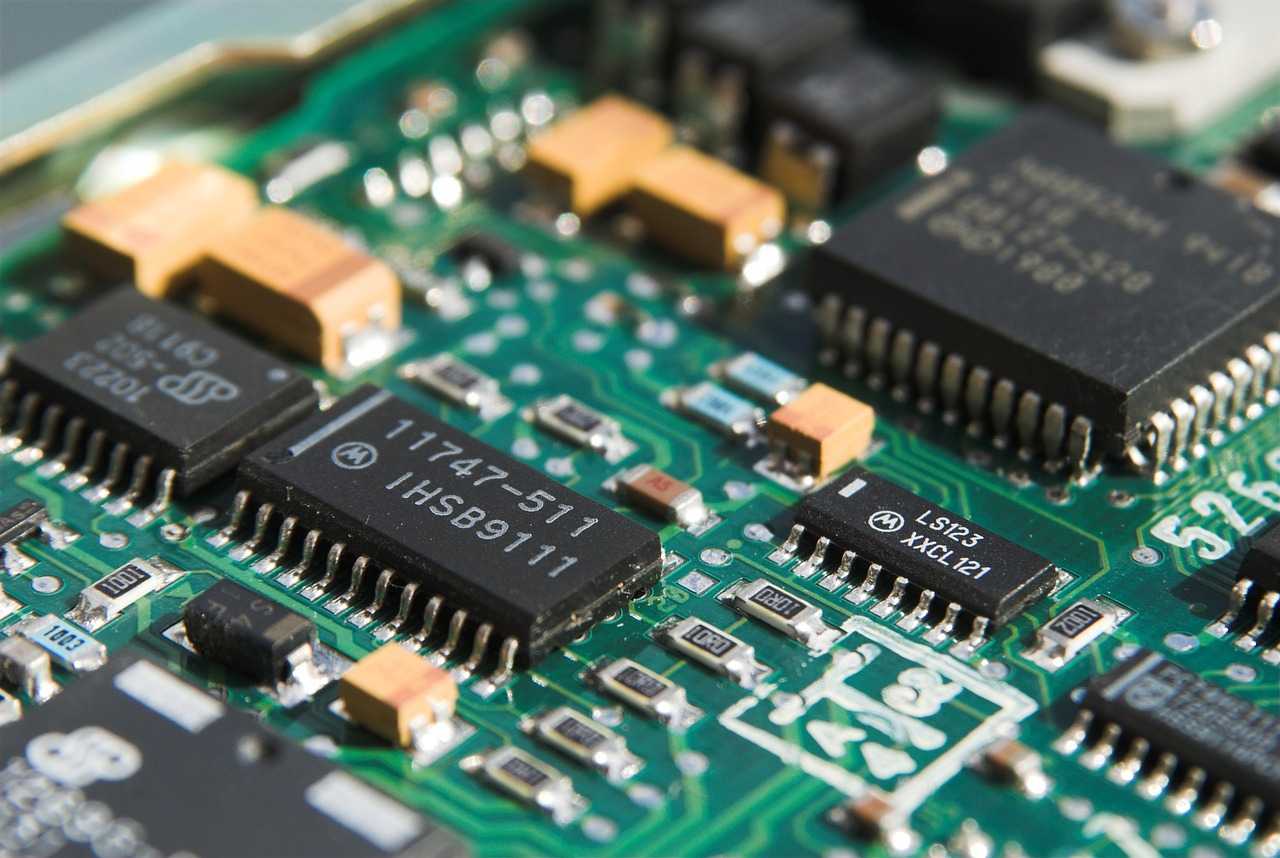
When it comes to setting up smart security, the first fork in the road is this: hub based or standalone?
Hub based systems use a central base station think of it as command central. Everything connects back to that hub: cameras, sensors, locks. The upside? Unified control, stronger inter device communication, and usually better integrations. The downside? More gear, potentially higher upfront costs. These setups work well for folks who want full home coverage and don’t mind a little extra setup.
Standalone devices, on the other hand, operate independently. A smart doorbell here, a motion sensor there, each with its own app or platform. It’s more plug and play, but with more apps to juggle and less automation between devices. Better for apartments or smaller homes situations where simplicity and flexibility matter more than total coverage.
As for brands, the big names are still holding strong:
Nest (by Google) is reliable, especially if you’re already in the Google ecosystem.
Ring (owned by Amazon) offers intuitive setups and strong community features, but watch for subscription creep.
Arlo punches above its weight in video quality and wireless flexibility.
SimpliSafe is the sleeper pick built more for security than gadgetry, but solid where it counts.
DIY vs. professional install? DIY wins for cost and flexibility. Most devices are designed for it now. But if tech isn’t your thing or you’re kitting out a large property professional installation takes out the guesswork.
Bottom line: pick the setup style that fits your home, your budget, and your patience level. They can all work if you know what you’re building toward.
Must Have Add Ons for Full Coverage
When it comes to protecting every corner of your home, core devices like cameras and locks are just the beginning. These key add ons enhance your smart security system, filling in gaps and providing the kind of protection and peace of mind that basic setups can’t always deliver.
Connected Smoke and CO₂ Detectors
Smart smoke and carbon monoxide (CO₂) detectors do more than sound alarms they can alert you wherever you are.
Instantly send alerts to your phone when smoke or CO₂ levels rise
Automatically trigger smart speakers or lights for emergency visibility
Can be integrated into routines like unlocking doors or turning off HVAC when an emergency is detected
Look for:
Battery backup in case of outages
App compatibility with your larger ecosystem (Google Home, Alexa, etc.)
Outdoor Solar Cameras and Floodlight Cams
Outdoor coverage is often overlooked but it’s your first line of defense.
Why solar powered makes sense:
No wiring, no stress perfect for hard to reach spots
Continual charging = less maintenance
Floodlight cameras give added visibility and deterrence:
Motion activated lighting can discourage intruders
Integrated cameras deliver real time surveillance with night vision
Ideal for driveways, garages, and backyard setups
Backup Battery and LTE Support in Emergencies
Power or internet outages shouldn’t leave you vulnerable. Backup systems ensure your security doesn’t stop when the grid does.
Battery backups keep essential devices like locks, hubs, and detectors running
LTE connectivity lets your smart system stay online and alert even without Wi Fi
Many top security brands now offer optional LTE accessories or built in modules
Pro Tip: Consider one emergency ready hub that supports both battery and mobile network failover especially if you live in an outage prone area.
In short, these add ons aren’t just extras they’re essentials for a security setup that works in real life, not just in ideal conditions.
Get Maximum Value From Your Setup
Smart security devices can be a life upgrade but only if you don’t let subscriptions eat your wallet.
First, know what you actually need. Many camera and doorbell brands push cloud storage and premium plans. If you’re not checking footage regularly or don’t need 60 days of video history, skip the top tier tiers. Look for brands that offer premium features without long term contracts or ones that let you store footage locally. Subscription plans should match your usage not the company’s upsell targets.
Second, talk to your insurance provider. Many now offer discounts if you’re using smart locks, monitored systems, leak sensors, or even connected smoke detectors. But they don’t always advertise it. Call and ask. A quick conversation might save you more per year than you think.
Lastly, tech won’t protect you if you don’t use it right. Lock the doors when you’re home. Check alerts instead of ignoring them. Keep your app updated. Smart habits make smart tech smarter and more reliable when it matters most.
Backed By Ratings, Tested by Homeowners
After weeks turn into months, the real reviews start rolling in and the insights aren’t always glowing. Well reviewed smart security devices tend to hold up, but even top names aren’t immune to hiccups. Users commonly praise cameras and doorbells for crisp video quality and solid motion detection, especially when paired with reliable Wi Fi. But when connections drop or cloud syncs stall, frustrations spike.
False alarms? Still a reality. Especially with motion sensors placed near pets, hanging decor, or driveways with high foot traffic. Some users report needing to fine tune sensitivity settings or reorient devices altogether to avoid constant notifications. And while most systems advertise quick setup and seamless support, the tech support experience varies some users get smooth resolutions, others enter the loop of long wait times and scripted replies.
One standout note from many longtime users: integrations matter. Devices that work effortlessly with Alexa, Google Assistant, or Apple HomeKit see higher satisfaction. Is it perfect peace of mind? Not always. But for many, the daily ease and added control still beat traditional systems hands down.
To see the top rated smart security tools, check out Best Smart Security.
 Ask Nancya Inmanut how they got into highlight hub and you'll probably get a longer answer than you expected. The short version: Nancya started doing it, got genuinely hooked, and at some point realized they had accumulated enough hard-won knowledge that it would be a waste not to share it. So they started writing.
What makes Nancya worth reading is that they skips the obvious stuff. Nobody needs another surface-level take on Highlight Hub, Living Space Concepts and Innovations, Zava Smart Home Integrations. What readers actually want is the nuance — the part that only becomes clear after you've made a few mistakes and figured out why. That's the territory Nancya operates in. The writing is direct, occasionally blunt, and always built around what's actually true rather than what sounds good in an article. They has little patience for filler, which means they's pieces tend to be denser with real information than the average post on the same subject.
Nancya doesn't write to impress anyone. They writes because they has things to say that they genuinely thinks people should hear. That motivation — basic as it sounds — produces something noticeably different from content written for clicks or word count. Readers pick up on it. The comments on Nancya's work tend to reflect that.
Ask Nancya Inmanut how they got into highlight hub and you'll probably get a longer answer than you expected. The short version: Nancya started doing it, got genuinely hooked, and at some point realized they had accumulated enough hard-won knowledge that it would be a waste not to share it. So they started writing.
What makes Nancya worth reading is that they skips the obvious stuff. Nobody needs another surface-level take on Highlight Hub, Living Space Concepts and Innovations, Zava Smart Home Integrations. What readers actually want is the nuance — the part that only becomes clear after you've made a few mistakes and figured out why. That's the territory Nancya operates in. The writing is direct, occasionally blunt, and always built around what's actually true rather than what sounds good in an article. They has little patience for filler, which means they's pieces tend to be denser with real information than the average post on the same subject.
Nancya doesn't write to impress anyone. They writes because they has things to say that they genuinely thinks people should hear. That motivation — basic as it sounds — produces something noticeably different from content written for clicks or word count. Readers pick up on it. The comments on Nancya's work tend to reflect that.